Homework
Homework plays an important role in helping children reinforce their learning, develop independent study skills and achieve their full potential at Ellis Guilford School.
How much homework will I have?
Homework is set regularly across all subjects to help children revisit and strengthen their learning. The information below provides an overview of the homework expectations for each year group.
Years 7-9
- English: 30 minutes Knowledge Check, 30 minutes on Sparx Reader
- Maths: 15 minutes Knowledge Check, 60 minutes on Sparx Maths
- Science: 15 minutes Knowledge Check, 30 minutes on Sparx Science
- Geography, History, Languages, RE and Computing: 15 minutes Knowledge Check per subject
Years 10-11
- English: 30 minutes Knowledge Check, 30 minutes on Sparx Reader
- Maths: 15 minutes Knowledge Check, 60 minutes on Sparx Maths
- Science: 15 minutes Knowledge Check, 30 minutes on Sparx Science
- All other option subjects: 15 minutes Knowledge Check and 30 minutes of additional homework per subject
- Students studying Art, Photography, Design, Music, Dance or Drama will complete homework linked to portfolio development.
How do I find out what homework has been set and whether it has been completed?
All homework is uploaded to Class Charts.
Parents and children will be able to log in to check what has been set, what is due, and the Guilford Gold received for homework completion.
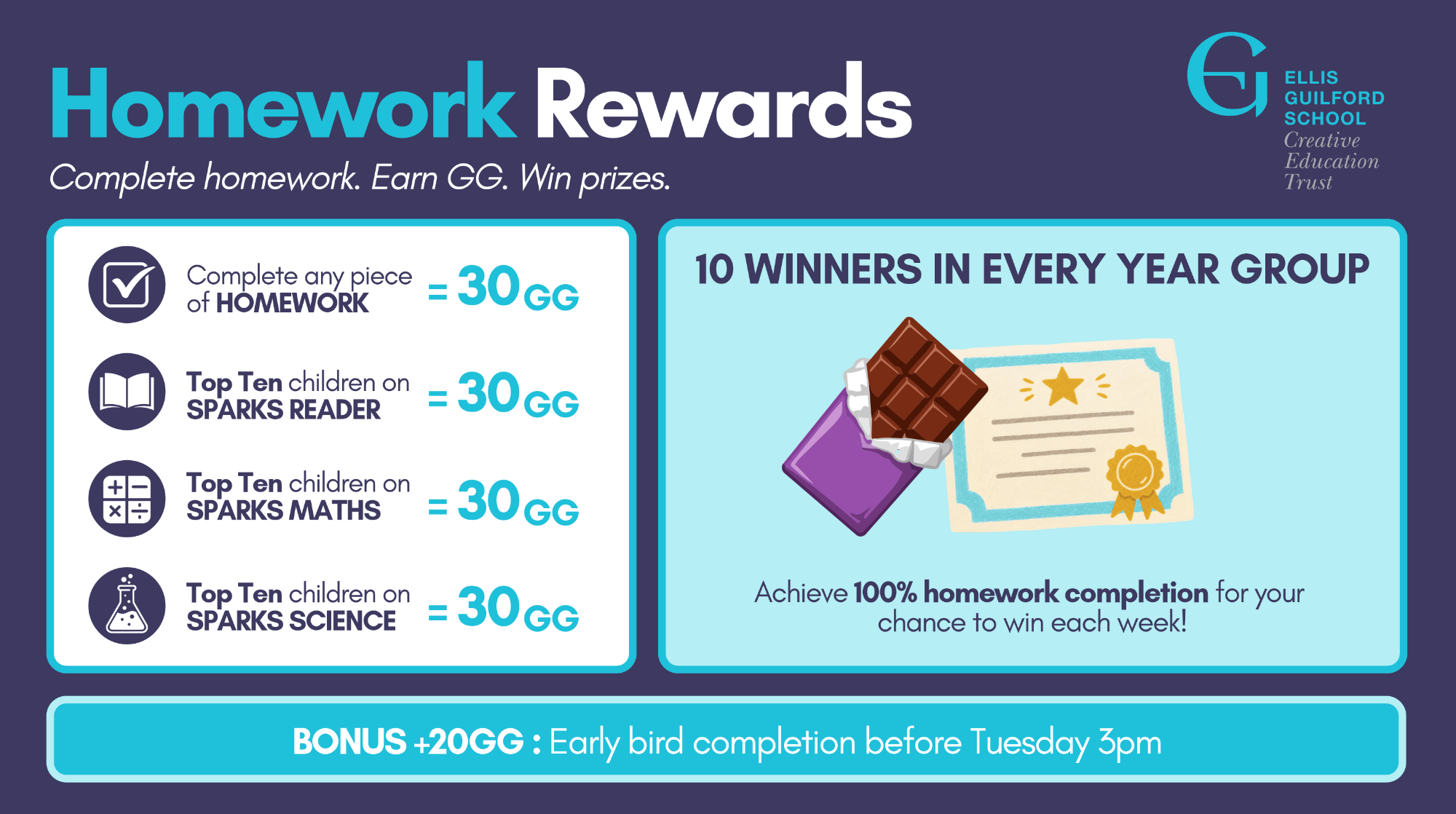
Children receive 30 Guilford Gold for each piece of homework completed. If children do not complete their homework, teachers will issue a No Homework’ and Guilford Gold will be deducted from their overall balance.
If children or parents/carers are having difficulty accessing Class Charts, please contact: enquiries@ellisguilfordschool.org.uk
Using Sparx at Home
Whilst some homework is paper-based, most homework is set using our online platform SPARX.
All children have access to Sparx and are expected to complete all quizzes set by their teachers as part of their weekly homework.
To access the online platforms at home, children should log on to the EGS Student Portal using their school computer username and password, where they can access the online platforms from the 'Tiles' in the student shared area.
Need Help With Homework?
If your child is experiencing difficulties completing homework, accessing online platforms or managing their workload, please contact their teacher, tutor or Year Team for support.
Policies
For the latest version of our Homework Policy and other school policies, please visit our Policies page.